
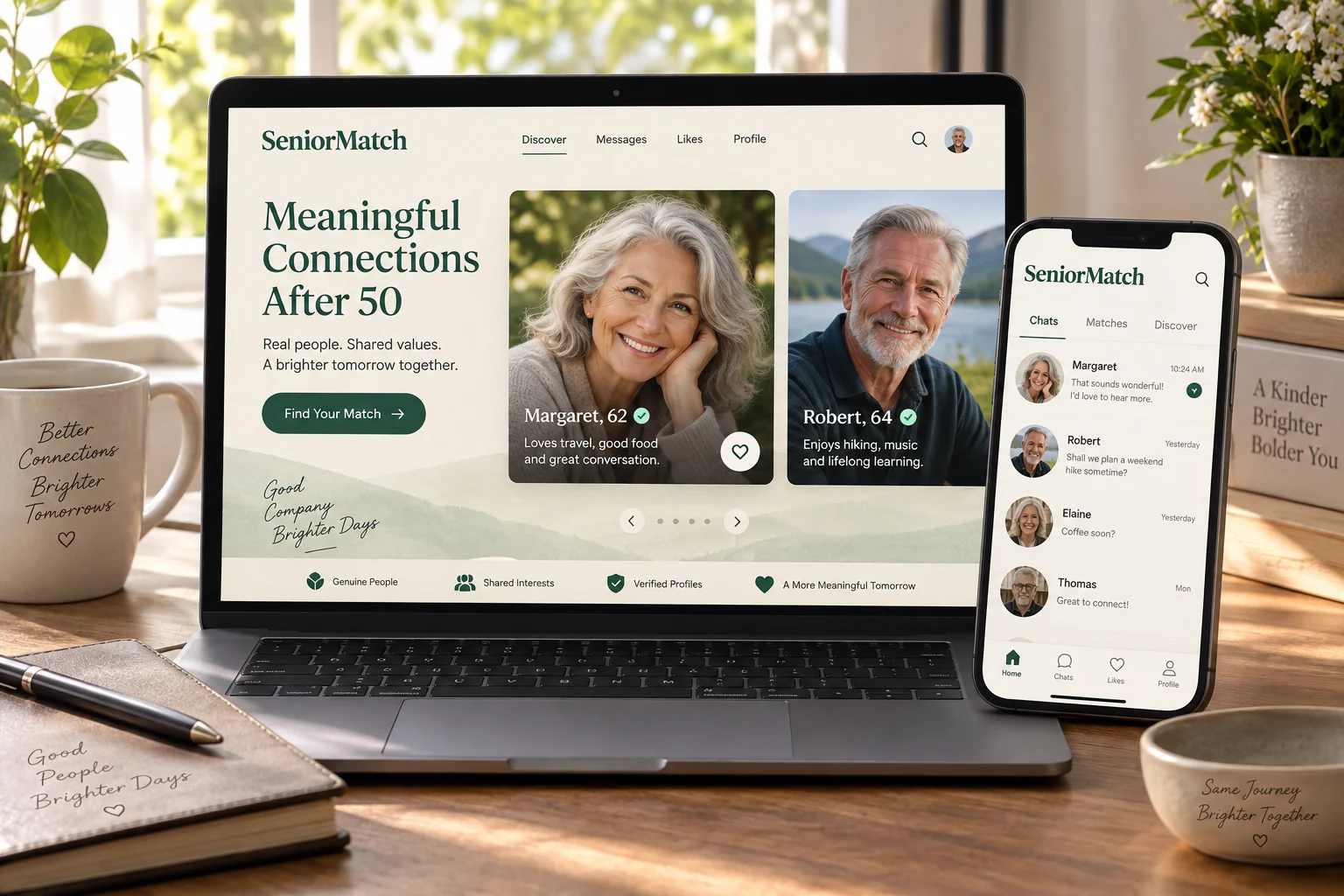
A senior dating app puts introductions to mature singles within reach of an ordinary day. SeniorMatch focuses on adults over 50 and welcomes dating, companionship and shared activity interests. Use the mobile experience to notice someone interesting, continue a real conversation and make room for a date. The aim is time with a compatible person, not a phone full of unfinished exchanges.
A Senior Dating App for the Life You Have Now
Your current life is part of what makes you worth meeting. You may be working, enjoying retirement, spending time with grandchildren or protecting an independent home routine. A mature dating introduction can begin with those realities instead of asking you to present a younger version of yourself.
SeniorMatch is our main app recommendation because its over-50 focus fits this invitation. The useful benefit is a setting where age and later-life experience belong in the conversation from the start. It does not mean every member shares your schedule, values or relationship goal, so give those preferences a personal voice.
Dating over 50 can include a new chapter without a complete reinvention. Let the app make meeting easier while you keep the friends, interests and responsibilities that give your life its shape.
Companionship, Romance and a Shared Direction
Describe the connection you want before assuming another person's meaning of dating. You might hope for affection and regular local company, a lasting romantic partner or someone who shares an interest in activities and travel. A broad mature audience can contain all of those intentions.
Companionship dating can be a complete goal, while a person hoping for marriage may want a different future. Neither should have to infer the answer from an age or photograph. A simple line about what you would enjoy sharing helps a compatible person recognise the invitation.
Be specific without turning the profile into a contract. “I would enjoy a warm romantic relationship with time for meals, conversation and occasional outings” gives someone a picture. Later conversations can clarify how often you would meet and whether a shared household is part of either person's hopes.
See More of the Person Than a Photograph
A mobile photograph can catch your attention quickly; a profile gives you a reason to become interested. Read the details that show how a person spends time, what they enjoy and what they hope to share. Notice a particular interest you would genuinely like to ask about.
SeniorMatch describes Gallery and Flame as different discovery routes. You do not have to make every available style part of your routine. If you prefer more time with individual profiles, you can choose a profile-led approach rather than treating rapid reactions as an obligation.
Apply the same care to your own introduction. A current photograph and two concrete details make a small screen more informative. “I enjoy a Sunday museum visit and cooking for friends” offers a natural opening that “I love life” does not supply on its own.
Make a Conversation Worth Returning to
The app becomes more useful when a reply develops something already shared. If a person mentioned music, ask about an experience you would enjoy hearing about and add a little of your own. Give them something to answer rather than sending a series of unrelated greetings.
For example, a conversation about local concerts might become a discussion of whether you enjoy a lively evening or an afternoon performance. That can reveal both a common interest and a possible date. The exchange is moving towards knowing the person, rather than simply keeping notifications arriving.
Consistent interest does not require instant availability. Someone may be at work, with family or enjoying time away from the phone. A considered reply and a kept plan can say more than a stream of brief messages with no growing understanding.
Choose the Phone or Website for the Task
A phone is convenient when you want to read a reply or continue a short exchange. A larger screen may suit a longer profile edit or a more considered piece of writing. Use the format that helps you give the task proper attention.
You can keep your introduction and intentions coherent wherever you participate. If your availability changes, update the account information that affects another person's expectations instead of relying on an old description. Read a message before answering, particularly when you are returning after a busy day.
You can compare senior dating websites and apps when you want to consider those choices more fully. The question is which screen supports your dating life, not whether using the app makes you more serious than someone who prefers a computer.
What App Access Lets You Evaluate
Downloading an app and having access to every communication action are different things. SeniorMatch's Standard access allows profile participation and browsing, with replies to Premium members; starting conversations requires Premium access. Understand the action you want to take before deciding whether a membership fits your plans.
Use the experience to learn something real: whether profiles give you useful context, whether your location preference is workable and whether a conversation becomes reciprocal. A large number of pictures viewed is not the same as a promising introduction.
The SeniorMatch review examines the broader choice. If price or free access is your immediate question, keep that decision grounded in current terms and the actual communication you would use.
Keep Contact Comfortable Without Living Online
Choose a notification routine that supports your day and keeps private messages off a visible lock screen if needed. Use the service's contact controls when an exchange becomes unwanted. Requests for money, codes or secrecy deserve a stop rather than a romantic explanation.
When mutual interest develops, suggest a short public meeting with independent travel. The app has done useful work when it helps two people decide to spend time together. It does not need to occupy every quiet moment before or after that date.
Download SeniorMatch and Make an Introduction
Choose SeniorMatch for iPhone or SeniorMatch for Android to continue on your phone. The iPhone experience and Android experience offer separate ways to picture the app in daily dating.
Begin with a recent photograph, one real interest and a clear wish for company. Give a promising person your attention, ask a question you want answered and let a good exchange become a date you both choose.